Take a Break
Try Something New
Finish a Task
Watch Something
Go Outside
Learn Something
Relax
Surprise Me
Listento Music
Tidy Up
Stretch
Read Something
Call Someone

Spin the Wheel - Free Random Name Picker & Decision Wheel

Spin the Wheel is a free online tool that picks a random name, prize, or answer from your list. Type in your options, press spin, and the wheel lands on one result. Every entry has the same chance, so the pick is fair.

Use it to choose a giveaway winner, call on a student, split up teams, or settle a debate about where to eat. It works for games, classrooms, and everyday decisions.

Quick facts

What is spin the wheel?

Spin the Wheel is an online random picker that chooses one item from a list by spinning a wheel. You add names, prizes, tasks, or choices, spin, and the wheel stops on a single result. Because every slice has an equal chance, the outcome is fair and unbiased. It works like a prize wheel at a fair or a game show, but without the physical wheel. It is also called a random name picker, spinner wheel, or decision wheel. People use it to pick giveaway winners, choose students, assign turns, and make quick decisions when they can't agree.

Cost
Free, with no sign-up required.
Best for
Choosing students, picking giveaway winners, settling group decisions and running party games.
Entries per wheel
No fixed limit. Very long lists make slices thin, so split big draws into rounds.
Works on
iPhone, Android, iPad, Chromebook, Windows and Mac browsers.
Randomness
Results are generated with the browser's cryptographic random number function, crypto.getRandomValues().

Why Choose Spin De Wheel?

More than just a wheel — it's your all-in-one random decision maker.

  • Instant & Easy

    Create and spin in seconds. No hassle, no signup.

  • Fully Customizable

    Add your own choices, colors, images and more.

  • Works Everywhere

    Use it on any device, anytime, anywhere.

  • Ready-Made Templates

    Choose from popular wheels or create your own.

  • Share & Play

    Share your wheel and results with friends.

Quick guide

How to spin the wheel online

Five simple steps, no signup or download needed. Your wheel is ready in under a minute.

  1. 1

    Add your entries.

    Type names, prizes or choices into the box, one per line, or paste a whole list at once. The wheel updates as you type.

  2. 2

    Customize if you like.

    Change colors, add images to slices, and turn sounds on or off to suit your class, stream or event.

  3. 3

    Press SPIN.

    The wheel turns and stops on one entry, and the result appears right away.

  4. 4

    Remove the winner and spin again.

    Use this for multi-round raffles, or to call on every student exactly once.

  5. 5

    Share or embed your wheel.

    Send a link to others, or add the wheel to your own website.

Features

What you can do with SpinDeWheel

  • Pick a random name from a class roster, team list or guest list.

  • Draw giveaway and raffle winners live, where everyone can watch the wheel decide.

  • Make a decision such as what to eat, what to watch or who goes first.

  • Build a prize wheel with custom colors and images on each slice.

  • Run party and classroom games like truth or dare, would you rather, review questions or chore assignments.

  • Go fullscreen to show the wheel on a projector, TV or screen share.

Who it's for

Who uses a spin wheel online

Teachers and classrooms

A name wheel makes cold-calling feel fair and fun. Load your roster, spin to choose who answers, reads or presents, then remove each student after they go so no one is picked twice. Because students can see the wheel turn, nobody suspects favoritism.
Streamers and content creators

Spin live to pick a giveaway winner from your chat, a challenge for your next stream, or a viewer to join your game. The suspense of a visible spin keeps an audience watching until the result.

Event organizers and businesses

Use the wheel for trade-show draws, office raffles, team-meeting icebreakers and employee recognition. A public, visible spin shows participants that the result was not chosen behind the scenes.

Families and friends

Settle "what should we eat tonight?", "which movie?" and "whose turn is it to clean?" with one spin. Whatever the wheel lands on is the answer, with no arguing.

Now on Google Play

Spin the bottle with your friends, anywhere

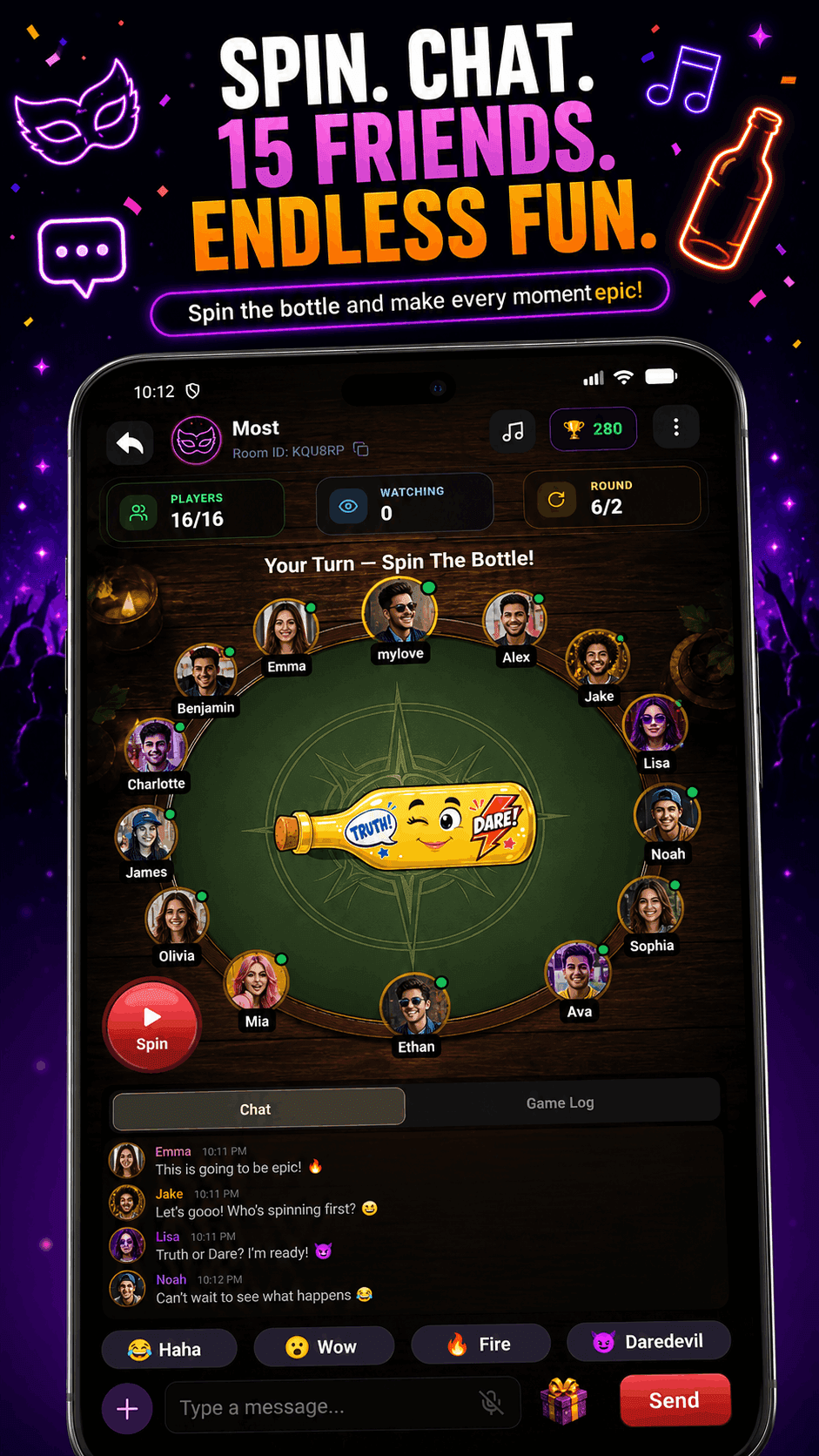
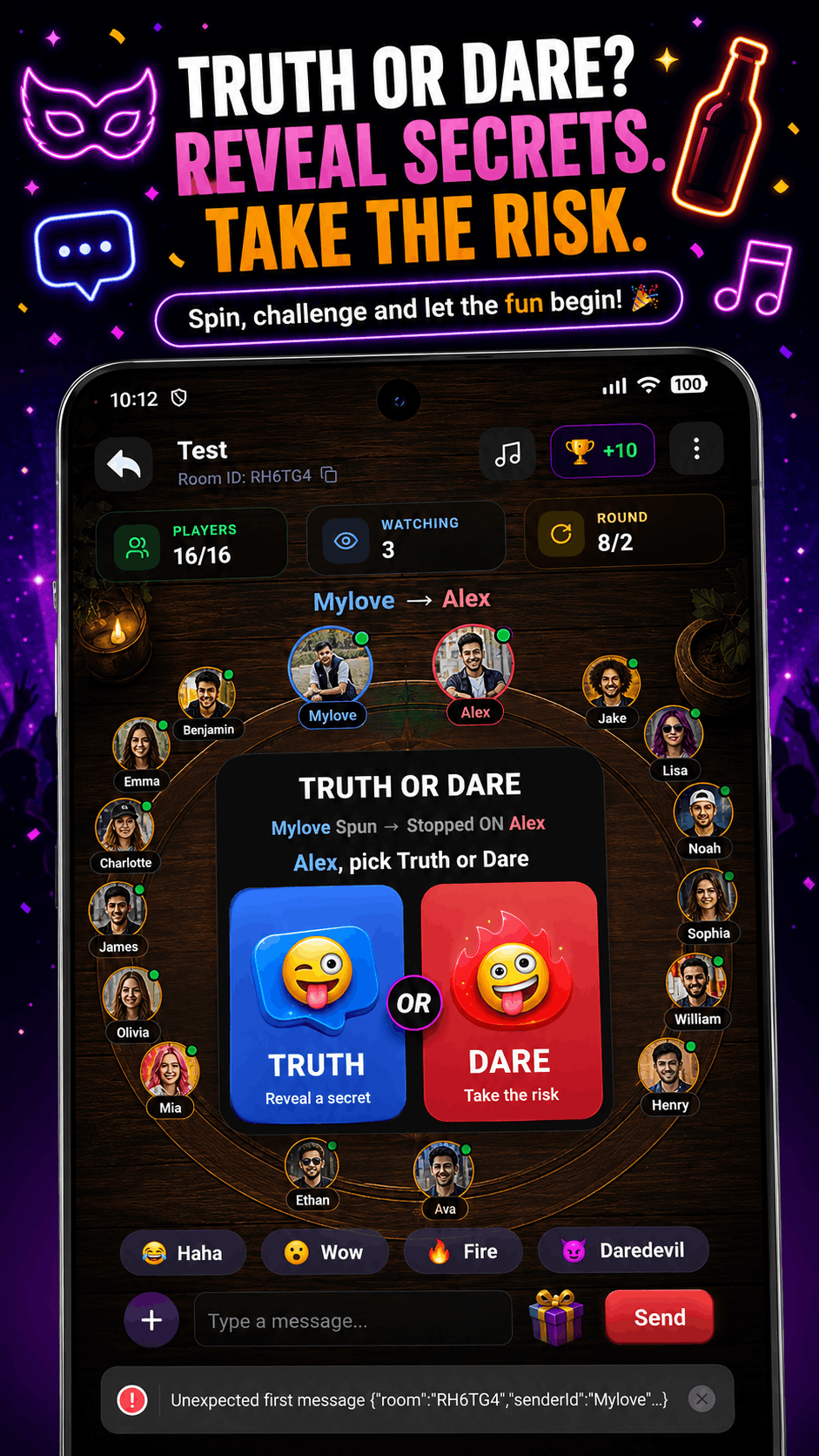
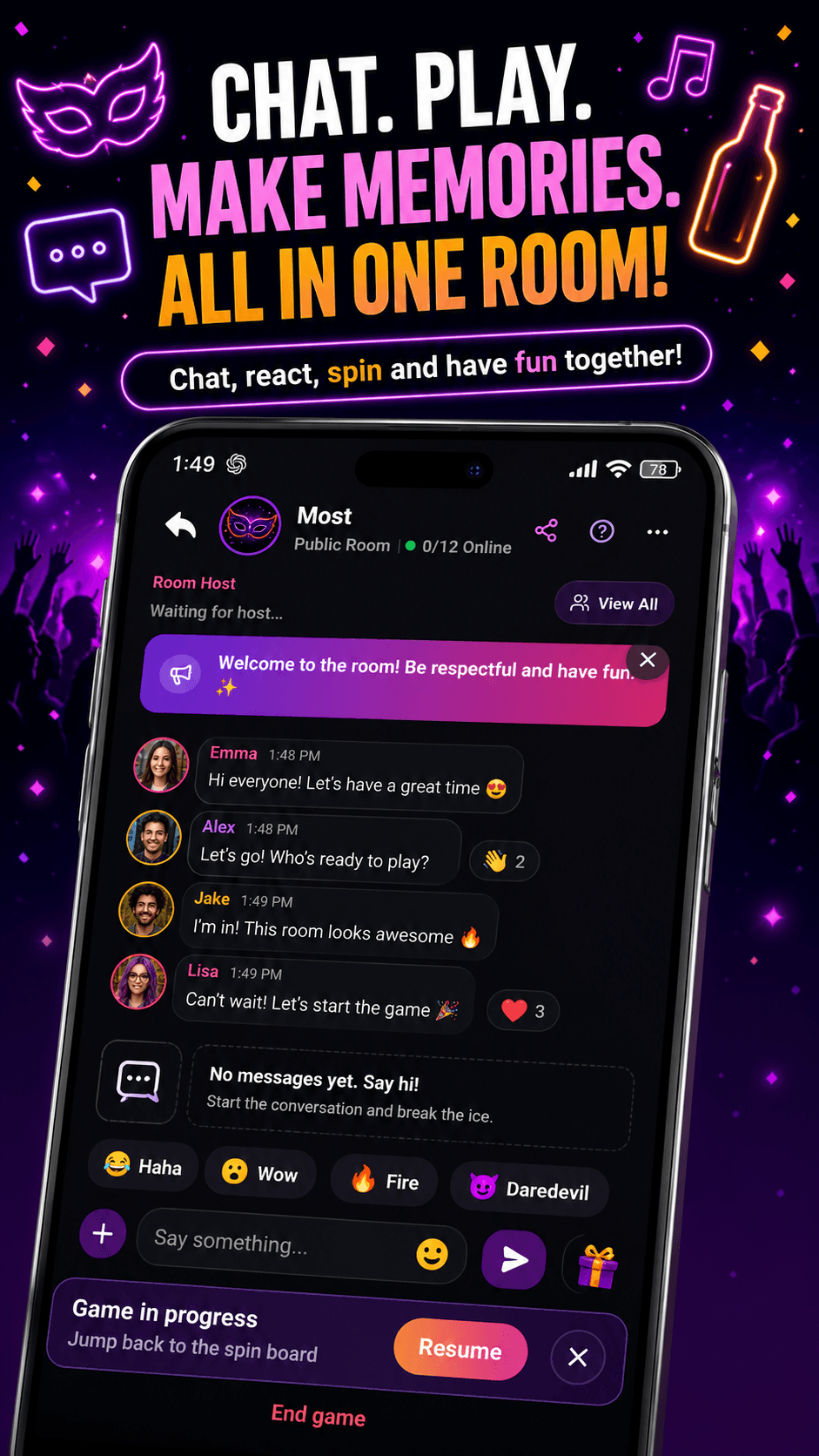
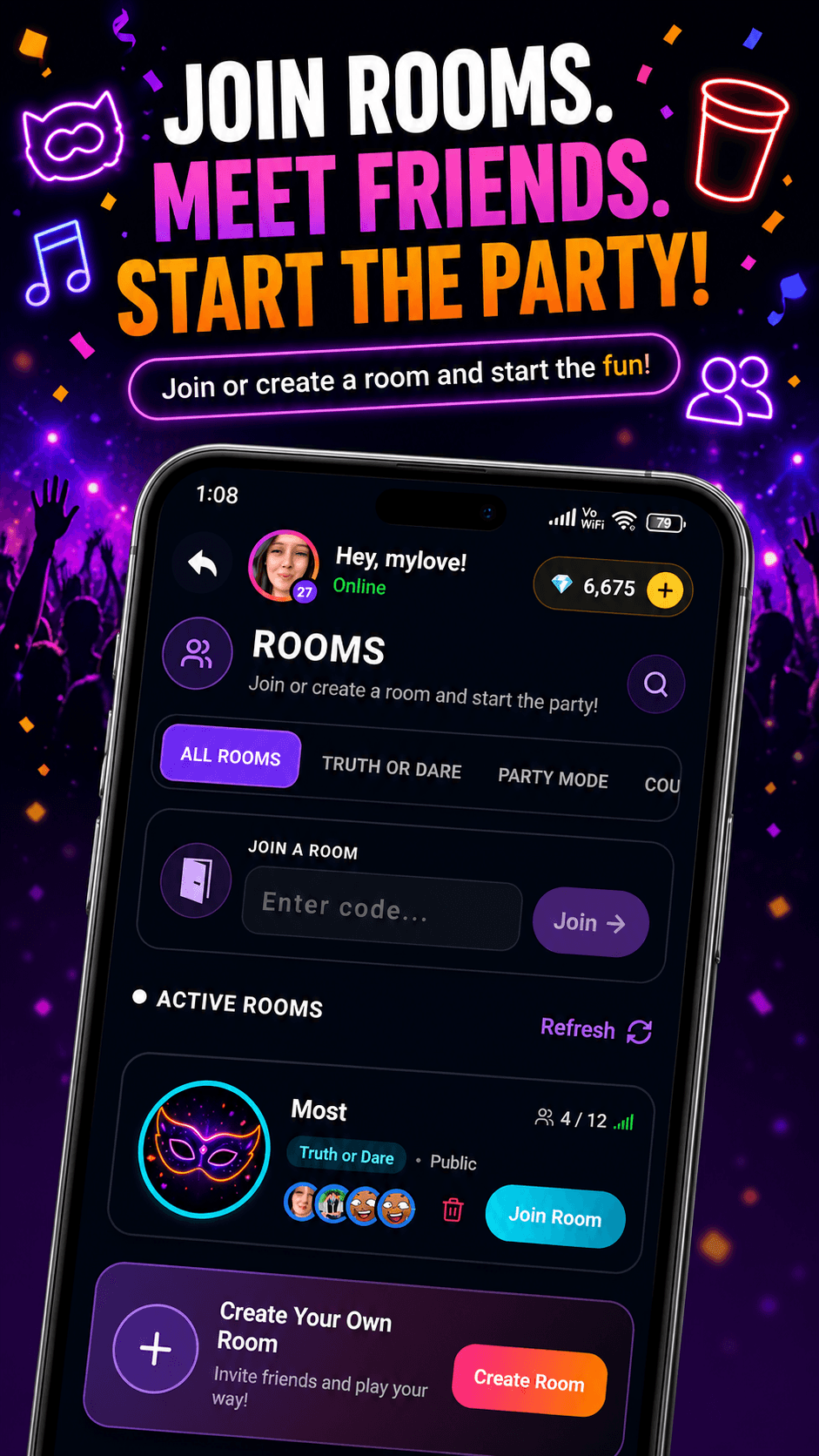
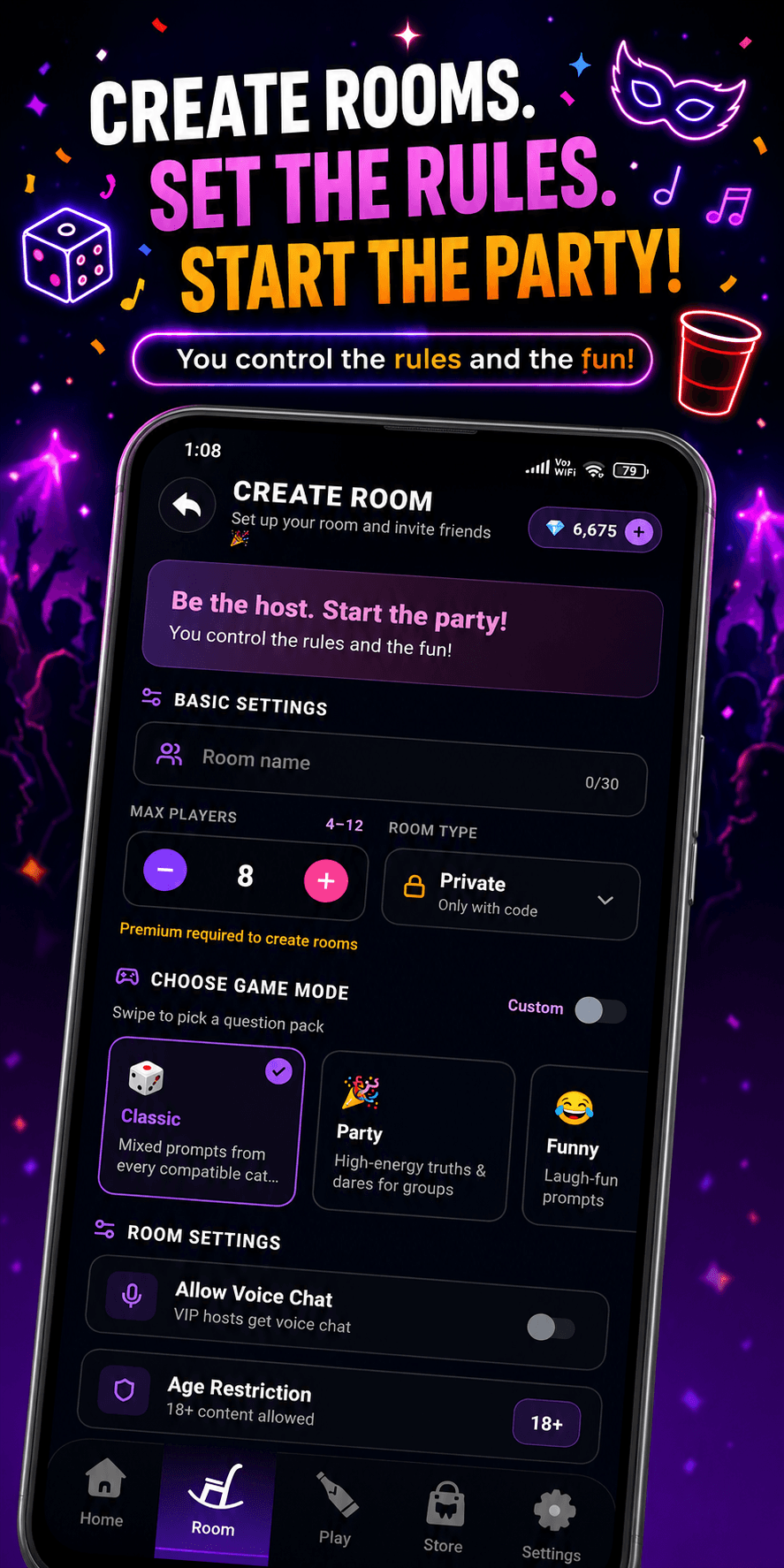
Get the Spin the Bottle Party Game app. Create a room, invite your friends and play truth or dare together, with live chat while you spin.

  • Truth or dare, funny challenges and couples mode
  • Create rooms and play online with friends
  • Chat and react while you play
Get it onGoogle Play
Browsing and joining active rooms
Creating a room and choosing a game mode
Spin the Bottle Party Game home screen with game modes
Players sitting around the bottle in a game room
Picking truth or dare after the bottle stops
Live chat inside a game room

Frequently asked questions

Is the spin wheel truly random and fair?

Yes. The final stopping position is chosen with a random number generator before the animation plays, so every entry has exactly the same chance of winning unless you change its weight in settings. Entry order, color and position on the wheel do not affect the result.

How many entries can I add to the wheel?

You can add as many entries as you need. For the clearest on-screen labels, 2 to 50 segments works best. Larger lists still pick fairly, but each label becomes smaller.

Is SpinDeWheel free to use?

Yes. The online wheel is free, with no account or sign-up required.

Can I use SpinDeWheel on my phone or tablet?

Yes. It works in any modern mobile browser on iPhone, iPad and Android. Nothing needs to be installed.

Can I use the wheel for giveaways and raffles?

Yes. Many people use it to pick giveaway and raffle winners because the live spin makes the draw easy for everyone to watch and trust. Screen-record or stream the spin if you need proof of the draw.

Can I use it in the classroom?

Yes. Teachers use it to call on students, assign groups, pick quiz topics and run review games. Turn on Elimination in settings so every student gets a turn before anyone repeats.

Can I spin multiple wheels at the same time?

Yes. Multi-wheel mode lets you place two or more wheels on one screen and spin them together with Spin all. It is useful for pairing people with tasks, matching players with prizes or running multi-stage draws.

Do you store my entries?

Your entries are used only to run the wheel. Please check the privacy policy for exactly what is saved on your device or on our servers.

Start Spinning

Browse the categories above, pick a ready-made wheel, or build your own in under a minute. Whether you need a random name picker, a party game spinner, or a simple decision wheel, SpinDeWheel has a free, fair, and fun option ready to go.

Spin the Wheel Now or explore the full library and find your perfect random picker.

Explore more wheels

View all wheels